How to rescue 50-year-old faded 35mm color slides by selecting excellent scanner with excellent software
Posted July 27, 2023
by Nicholas Hellmuth, FLAAR Reports
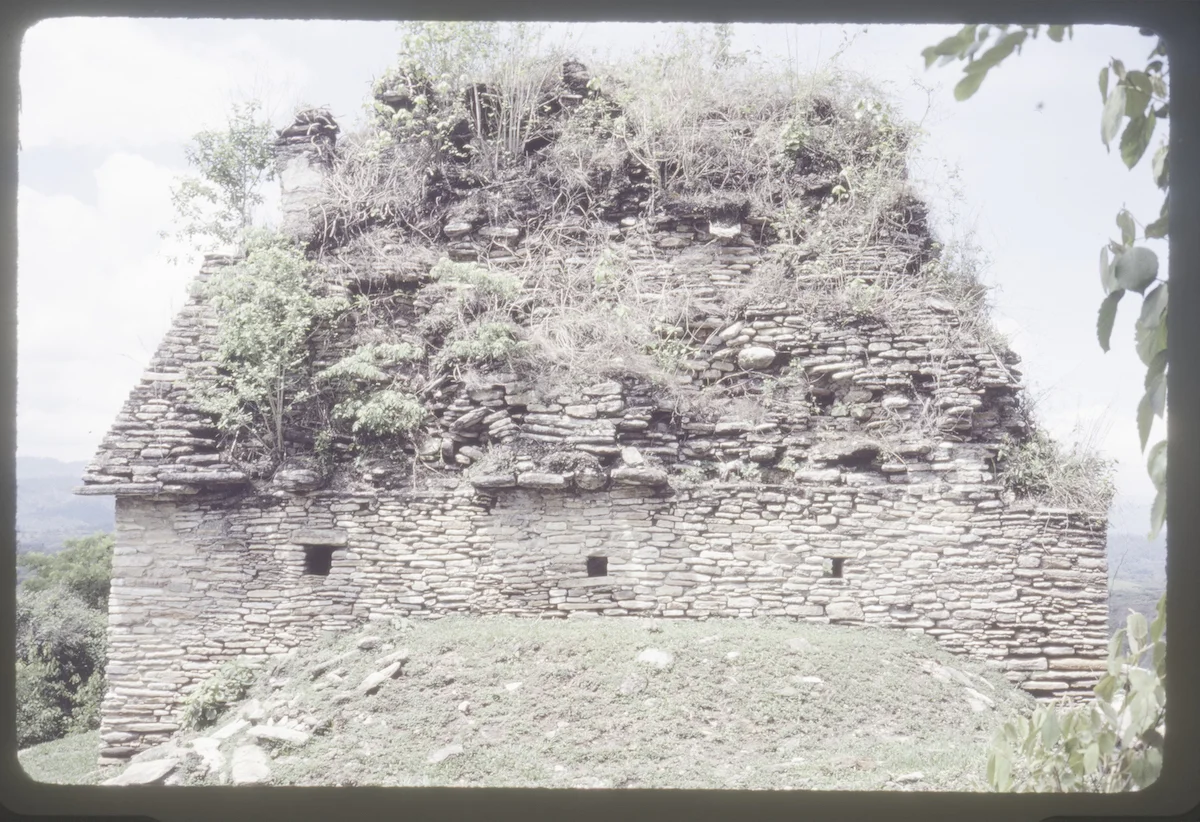
Temple at Tonina, developed in June 1979, so photographed earlier in that year (since no Kodachrome development labs anywhere near Tonina). This slide has its color chemicals degrade decade after decade after decade. But with SilverFast software we can rescue the original color especially by scanning in RAW mode via SilverFast. Scanned by Gaby Cabnal, FLAAR Mesoamerica.
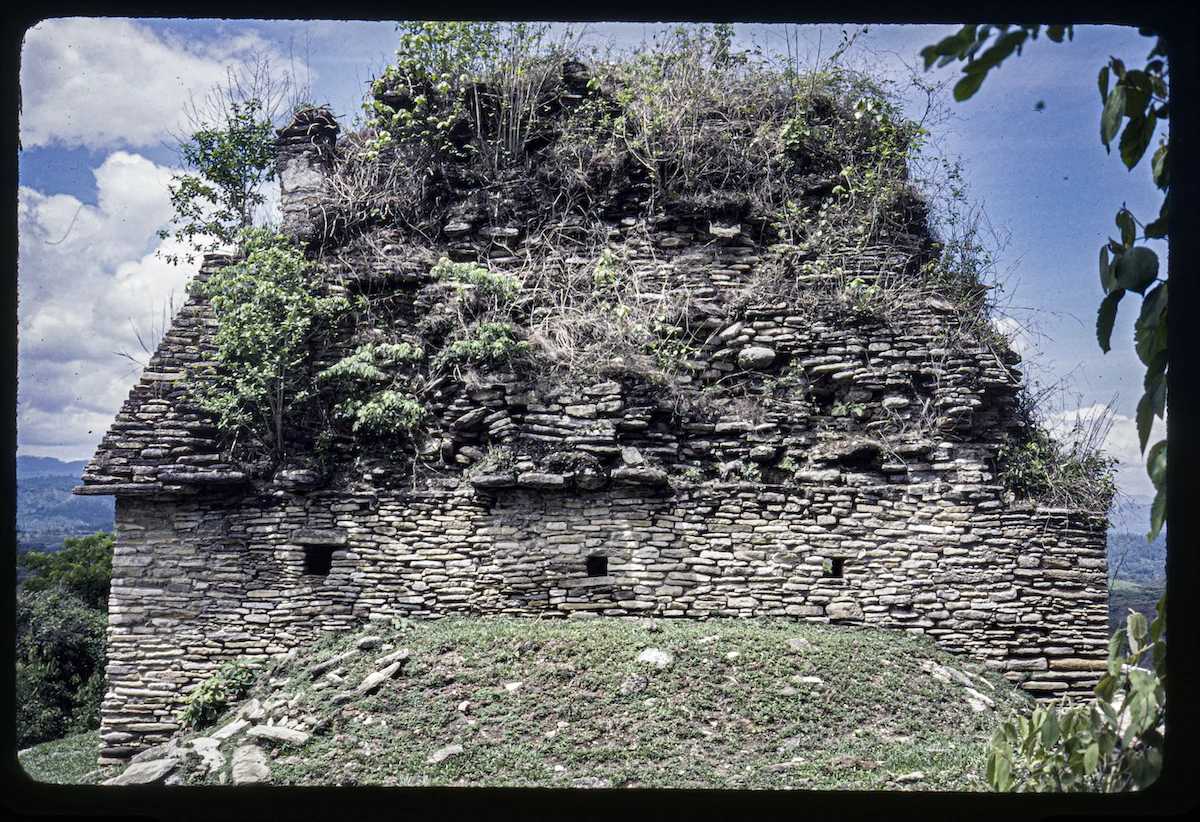
Very helpful photograph since the size and shape of the stones used at this site in Chiapas, Mexico are totally different in size and shape that the larger stones used throughout Peten. Plus this photo shows the tiny square “windows” (air ducts or openings for sighting aligned things elsewhere?).
Exposure -1.10, Contrast +49; to show the sun Highlights -100; Shadows -54; whites +6; texture +100 makes the individual stones more visible; same with Clarity +4; Dehaze +86 reveals what the blue sky was actually like that day. Since we have 50,000+ slides to scan, at the end of the process I just clicked AutoColor and that’s enough to restore what was in front of me half-a-century ago when I photographed the back of this temple. All this was possible with the SilverFast scanner software that comes included with the Epson Perfection V850 Pro scanner. The processing was in AdobePhotoshop RAW mode.
To add the super-powerful SilverFast HDR 9 and SilverFast HDR Studio 9 and additional SilverFast software that you can acquire we are upgrading our computer so it can handle the images that are improved by level 9 of the newest Silver Fast scanner software. It took 2 weeks for the computer to arrive from USA and SilverFast Version 9 will be installed by the coming week. Then we can show how to get rid of at least some of the dust spots at the right and the hair at the right.